💻 Solusi TypeScript/JavaScript
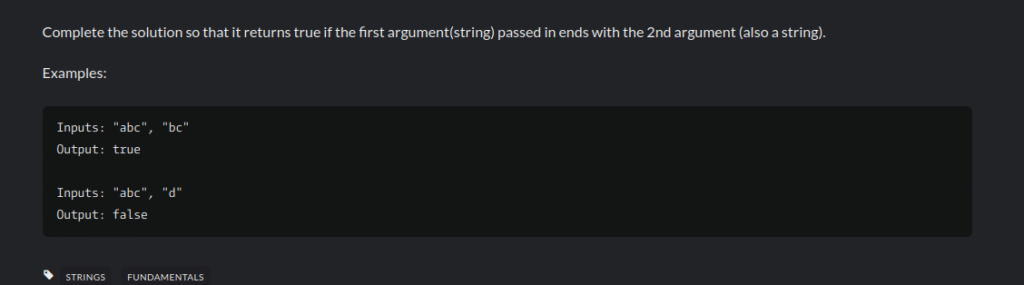
Initially, in solving this problem, we can use the endsWith technique in JavaScript, namely TypeScript, which is a technology for checking whether the end of a string ends with another string.
function solution(str: string, ending: string): boolean {
    // Metode .endsWith() secara native melakukan pemeriksaan ini.
    // Metode ini mengembalikan nilai boolean (true atau false).
    return str.endsWith(ending);
}
🔍 Alternative (Without .endsWith())
However, if you are asked to accomplish this without using the .endsWith() method (for example, in a very ancient environment or for learning purposes), you can use the .slice() method and the .length property.
function solutionAlternatif(str: string, ending: string): boolean {
    // 1. Dapatkan panjang string 'ending'
    const panjangEnding = ending.length;

    // 2. Dapatkan substring dari 'str' yang panjangnya sama dengan 'ending',
    //    dimulai dari posisi yang sesuai (di akhir 'str').
    //    str.length - panjangEnding memberikan indeks awal yang tepat.
    const substringAkhir = str.slice(-panjangEnding);

    // 3. Bandingkan substring yang diekstrak dengan string 'ending'.
    return substringAkhir === ending;
}

console.log("\n--- Alternatif ---");
console.log(solutionAlternatif("abc", "bc")); // Output: true
console.log(solutionAlternatif("abc", "d")); // Output: false
🐍 Python code for endswith
You directly call the .endswith() method on the string you want to check.
string_utama.endswith(string_yang_dicari)# Contoh yang sama seperti sebelumnya:
# Input 1: "abc", "bc"
str1 = "abc"
ending1 = "bc"
print(f'"{str1}" berakhir dengan "{ending1}": {str1.endswith(ending1)}') # Output: True
# Input 2: "abc", "d"
str2 = "abc"
ending2 = "d"
print(f'"{str2}" berakhir dengan "{ending2}": {str2.endswith(ending2)}') # Output: False
# Contoh dengan huruf besar/kecil (case-sensitive)
str3 = "Kata"
ending3 = "ata"
print(f'"{str3}" berakhir dengan "{ending3}": {str3.endswith(ending3)}') # Output: False (karena 'a' != 'A')🛠️ Advanced Options
Additionally, the .endswith() method in Python also allows you to specify the start and end positions where the search should be performed, making it very flexible.
# Sintaks Lanjutan
# string_utama.endswith(string_yang_dicari, [start], [end])

# Contoh: Hanya periksa dari karakter indeks 1 hingga 5
teks = "pisang goreng enak"

# Periksa apakah teks antara indeks 1 dan 5 ('isang') berakhir dengan 'ng'
# Substring yang diperiksa adalah "isang"
print(teks.endswith("ng", 1, 6)) # Output: True (posisi 6 tidak termasuk)

# Periksa apakah teks antara indeks 1 dan 5 ('isang') berakhir dengan 'ak'
print(teks.endswith("ak", 1, 6)) # Output: False
Therefore, after exploring the syntactic and implementation details, it is clear that the endsWith() method is an indispensable tool in a developer’s toolbox, whether you are working in TypeScript, Python, or JavaScript. In comparison, instead of building complex logic with string slicing (slice() or slicing) and length comparison (.length), endsWith() offers a solution that:
- Efficient: Performed natively and quickly by the programming language.
- Readable: Makes your code easier to read and understand its purpose at first glance.
- Safe: Automatically handles edge cases (such as comparing to an empty string) without the need for additional manual checks.
In conclusion, mastering this simple string method, along with its counterparts like startsWith(), will significantly improve the clarity and robustness of your string manipulation logic.

Leave a Reply